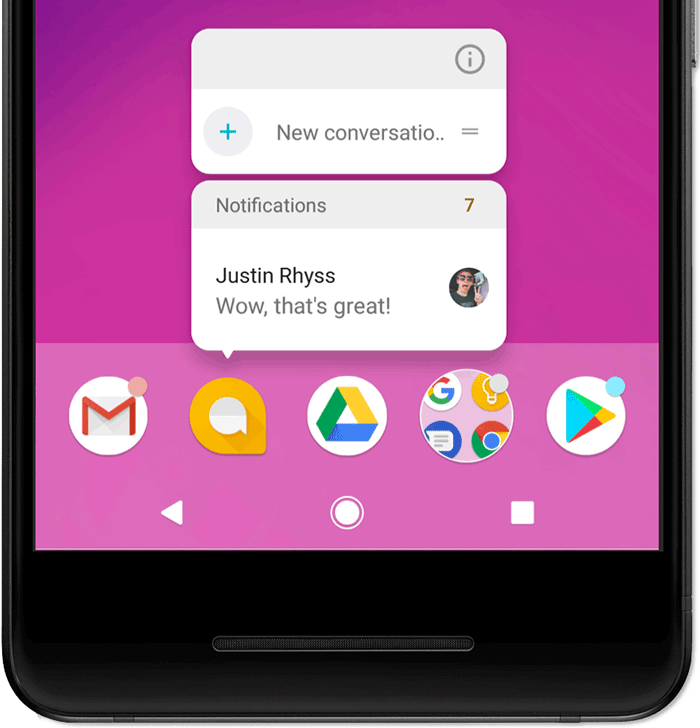
Nearly ten years ago, I switched from an iPhone to a Pixel 2 (though I’d used Nexus devices for years before this). This was right around the same time Android Oreo was released with notification dots. Initially, I was annoyed by the lack of exact numbers, having grown used to the nagging red dots on iOS that told you exactly how many new notifications were associated with any given app. I even tried to work around this at first with different launchers, but eventually I came around to the idea of the simple badges. Either there were new notifications or not.
Terry Godier recently articulated the notion of phantom obligation where a UI implies a debt of you where there is none. Most RSS readers, Capy Reader included, follow the three-paned UI layout popularized in part by NetNewsWire, with exact notification counts and all. It’s possible to rework this, but I believe Capy Reader still owes some familiarity to users who use sync services that follow this paradigm, such as Feedbin or FreshRSS. That said, there are tweaks around the edges that can reduce this phantom obligation.
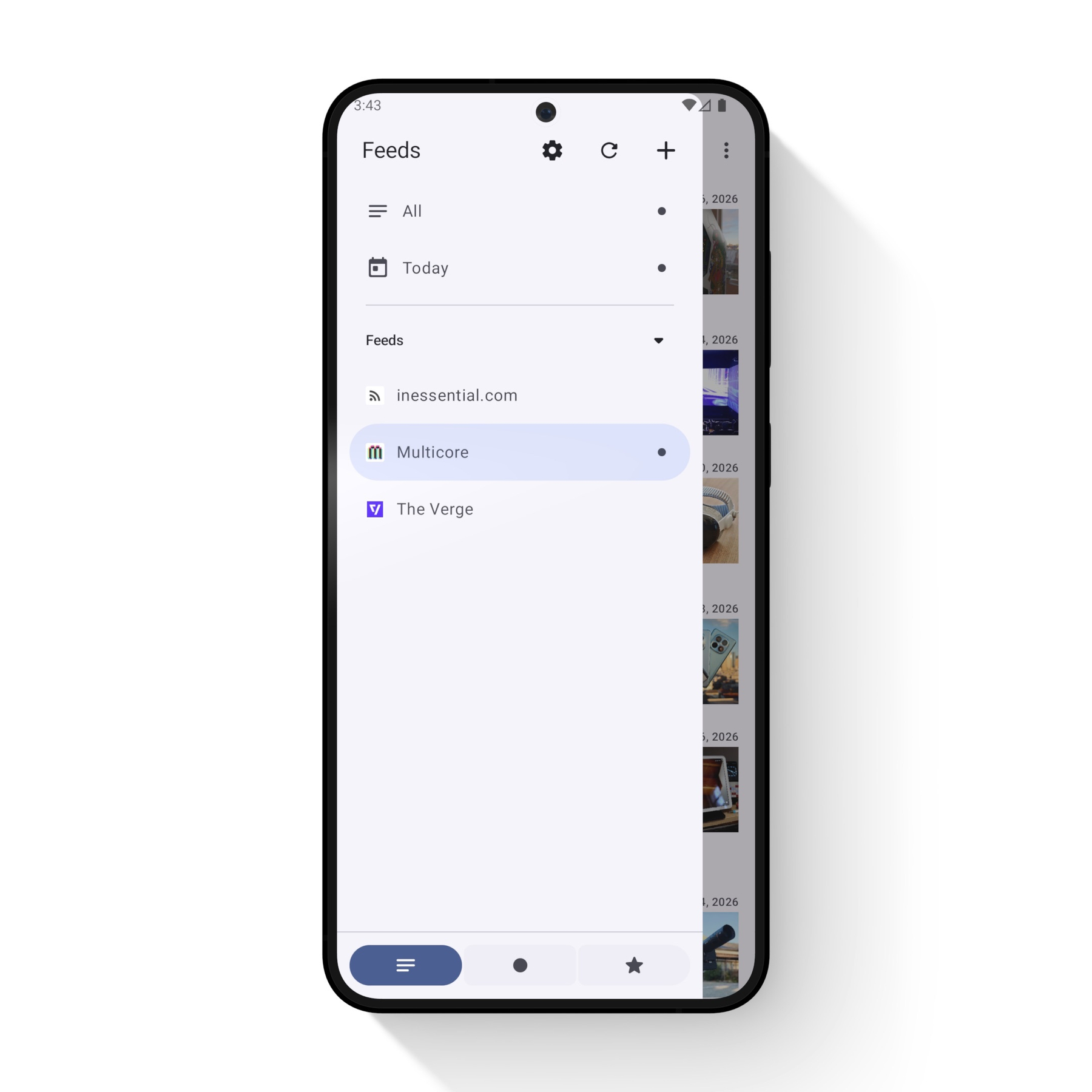
That’s why I’ve added the option to use “Simple” unread badges in Capy Reader 2026.02.1191. This option swaps the exact unread amount for a simple dot indicating there are unread articles. There’s also a per-feed option to hide indicators altogether when the simple badges are enabled. You can enable this feature under Settings > Display & Appearance > “Unread Badges.”
Let me know how this works out for you on Mastodon or GitHub discussions. As with all new features in Capy Reader, the goal is to focus on content, not the software around it. The less time you have to spend managing feeds, the more time you can spend on reading itself.