
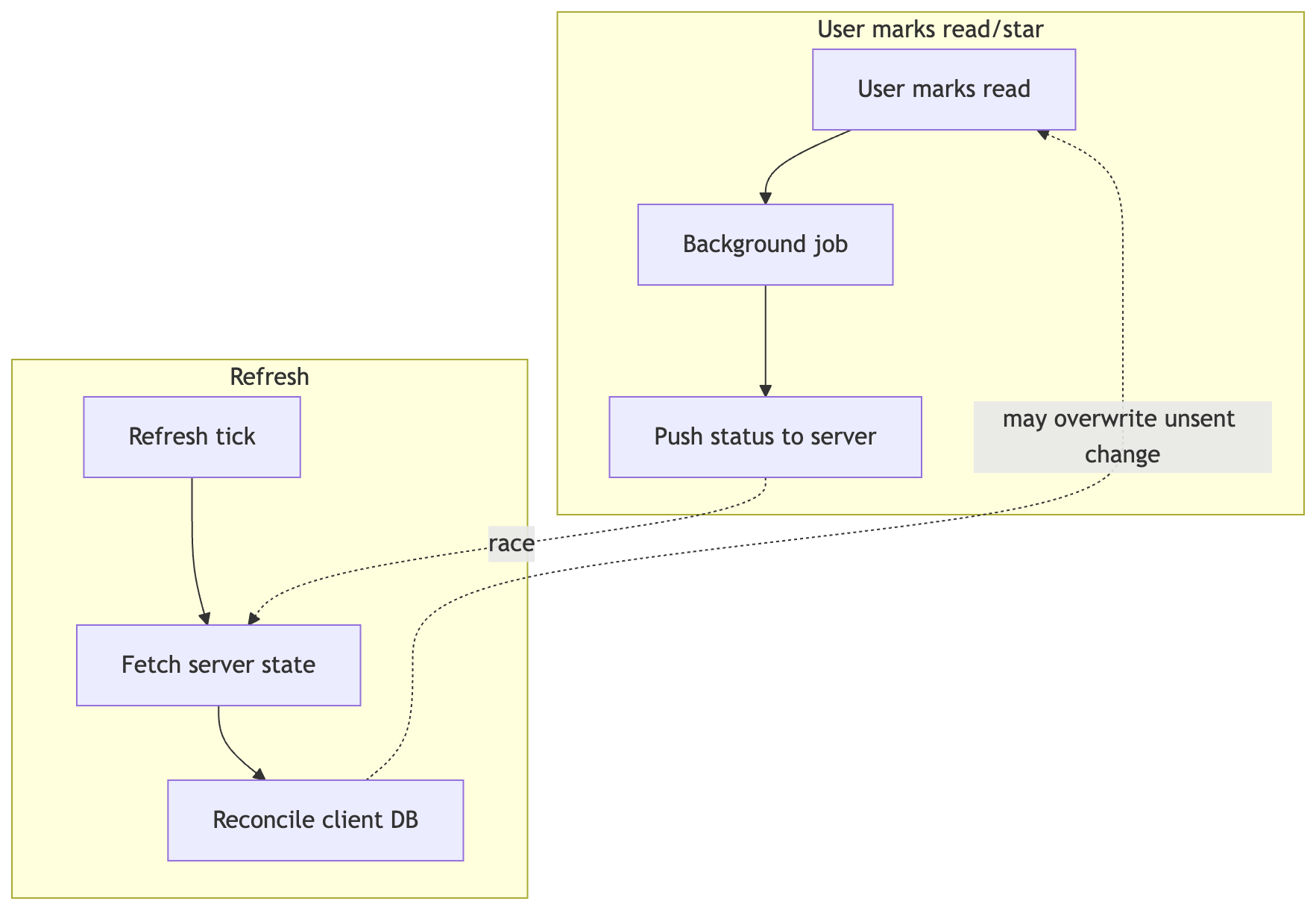
Capy version 2026.05.1208 includes improvements to better support offline reading. Previous attempts relied too heavily on Android background tasks for state management. Background tasks worked well on good connections but drifted on spotty networks. Even when statuses did sync, they would sync outside the refresh interval, if ever.
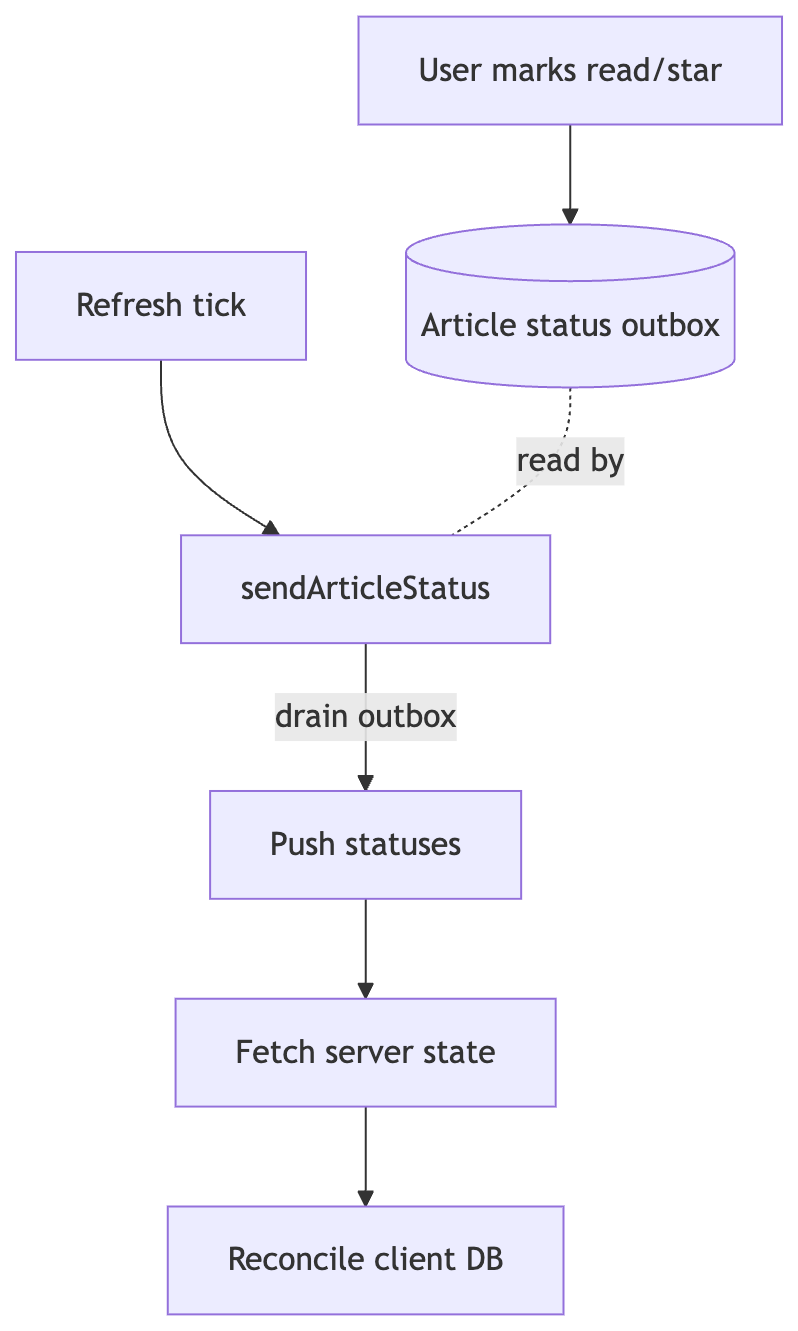
Now, statuses are always added to an “outbox” controlled by the app, not the OS. This is a SQLite table that tracks “read” or “starred” states. This is pulled from NetNewsWire’s sync status model which is battle tested and works across many platforms.
So if 100 articles are marked as read, all 100 will be pushed to the server before new statuses are pulled. This does assume that the offline client is the most up-to-date based on current sync systems. Regardless, this is a necessary trade-off that either clobbers client statuses or server statuses since there are no timestamp or conflict resolutions shared for FreshRSS, Feedbin or Miniflux.
The new system is drastically simpler and means statuses always move in one direction via one outbox as opposed to two competing background jobs. Let me know how it works the next time you lose connection in a tunnel!
Before
If this graph looks painful, that’s because it is, and was always difficult to debug.
After
One way to sync, in a straight line, start to finish.
Other Updates
BazQux is now supported via the Reader API account. There were a few bugs in the way that have now been squashed.
There are more bandwidth checks on local feeds to ensure that duplicate updates are skipped. This is to avoid a scary issue where the app consumed multiple gigs of data for one user.
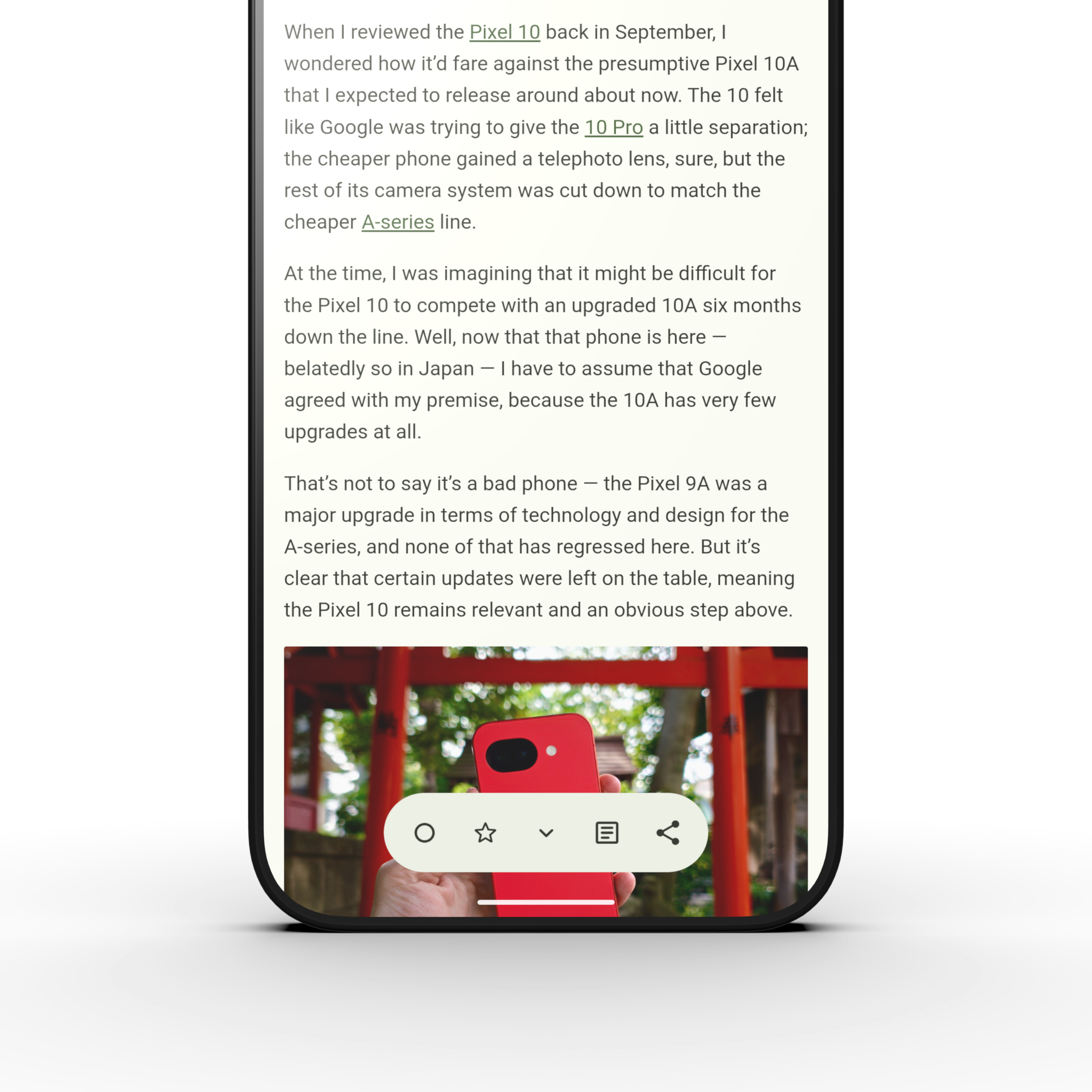
The bottom bar in the reader has been condensed to take advantage of the new floating toolbar design in Material 3 Expressive. This gives back more space to the article itself.
What’s Next
There are a few improvements up for consideration in the next development cycle. Offline mode isn’t there yet. I plan to start exploring support for offline full content articles and media (discussion).
E Ink optimization is another area of investigation. I want to explore article pagination as well as immersive mode for E Ink devices specifically. If that works out, I also want to tweak the Monochrome theme to use up less full colors and more outlines to avoid ghosting.
Capy Reader is a solo project supported by readers like you. Show your support by leaving a tip on Ko-fi, or by sharing the app with a friend. Thanks!